
Entertainment Reference
Big Ambitions Cinema
Cinema is an advanced entertainment business introduced in EA 0.10. Official material identifies specialist Projectionist staff and concession products including Popcorn, Cotton Candy, Slushies and Cheese Platter.
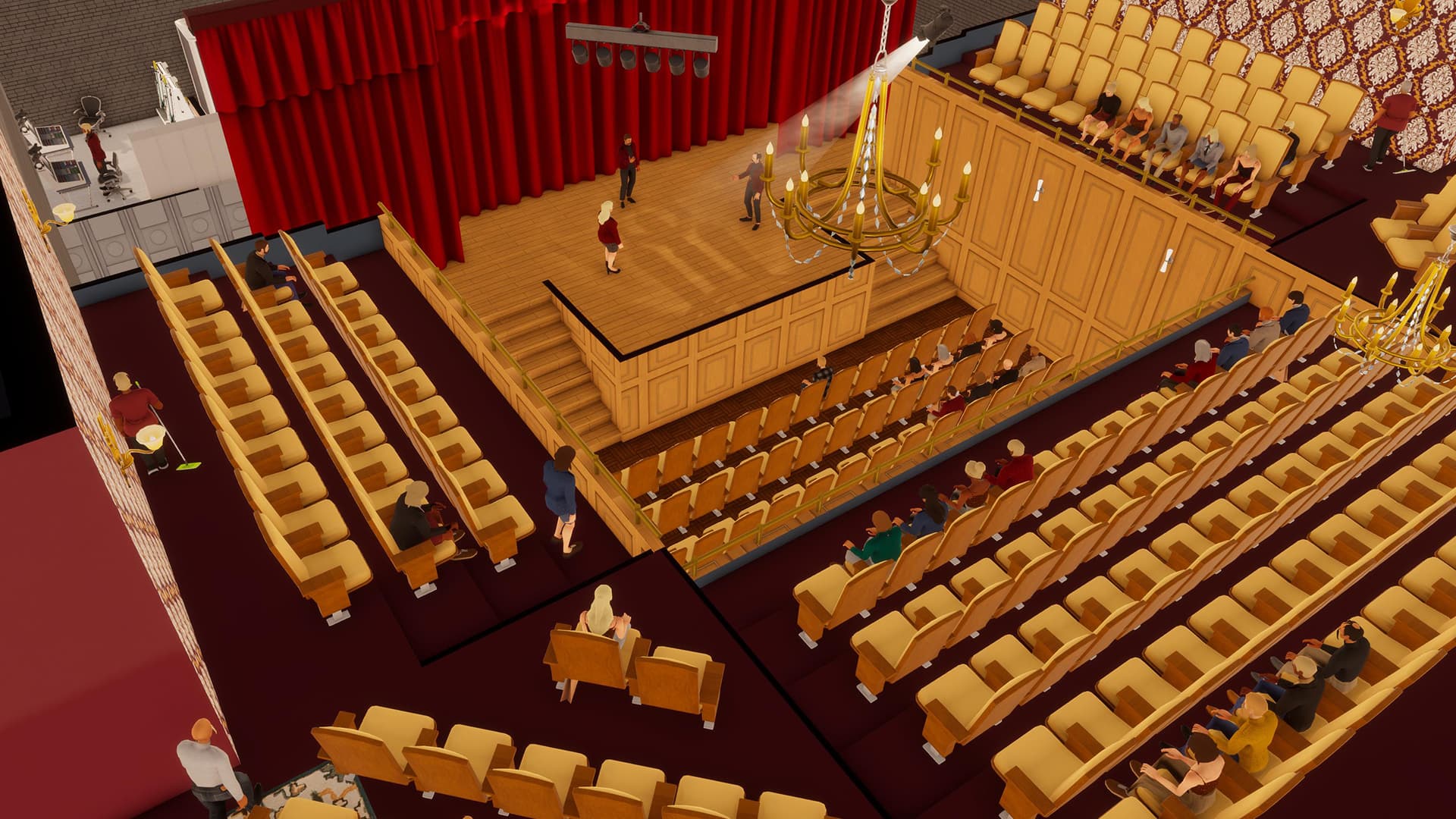
Cinema Operating Chain
A working cinema combines the screening area with customer flow, specialist staffing and concessions. Treat the screen, seats, projection role and food/drink operation as connected systems.
- Screening area
- Seats and customer capacity
- Projectionist coverage
- Ticket or customer-service flow
- Concession products
- Stock and cleaning
Confirmed Staff and Products
The EA 0.10 announcement names roles and products added with the Cinema and Theater systems.
| Cinema staff | Projectionist |
| Theater staff | Actors, Stage Crew |
| Concessions | Popcorn, Cotton Candy, Slushies, Cheese Platter |
| Capacity observations | See the player-tested table below |
Player-Tested Capacity Reference
A player-recorded EA 0.10 setup shows the following values in the game interface. Use the information icon beside a value to inspect its source type and applicability.
| Projection Booth | 25 customer capacity |
| Cinema Screen | 25 customer capacity |
| Ticket Desk | 50 customer capacity |
| Popcorn Station | 50 customer capacity |
| Test building limit | 100 customers/hour |
Historical Operating Observation
A separate EA 0.10 Factory comparison video left an existing Cinema running during the same 10-day accounting window. The value is useful as a scale reference, but the Cinema was not the controlled subject.
| Cinema revenue | About $1.3M / 10 days |
Community Revenue Range
The hand-collected material also contains an AI synthesis of linked Steam community reports. It is an indirect range across different Cinema saves.
| Daily gross revenue | About $50,000-$110,000/day |
Recommended Setup Order
Secure a large enough building, establish the screening and seating area, add specialist workstations, build concessions and storage, then verify all roles and products before opening.
- Confirm building capacity
- Place screen and seating
- Install projection equipment
- Add concession service
- Create stock flow
- Assign specialist staff
- Test customer path
Layout Priorities
Keep entry, service, seating and stock movement from blocking one another. A visually dense cinema can still fail if queues block access or concession stock is too far from storage.
- Clear entrance
- Visible service point
- Unobstructed seating access
- Short stock path
- Separate employee and customer movement where possible
Common Problems
Cinema has more failure points than a basic storefront.
- No screening capacity
- Projectionist not assigned
- Concession product unavailable
- Queue blocks customer flow
- Large building creates long walking paths
- High overhead before demand is established
Player Demonstration
The linked EA 0.10 recordings show the Cinema build sequence, specialist staffing and visible capacity values. These observations are labeled with their test version and remain subject to a 1.0 recheck.
Player material
Player Gameplay Sources
Use these videos to see complete setup workflows, interface values and operating results in context.
Starting Our Media Empire: Cinema EA 0.10
Player-tested historical reference. The video identifies EA 0.10 and shows Cinema requirements and capacity values in the game interface.
Watch on YouTubeOne Factory, Eight Stores, $27 Million
Player-tested EA 0.10 comparison containing an incidental 10-day Cinema revenue observation. The Cinema was not the controlled subject.
Watch on YouTubeHow Cinemas and Theaters Actually Work
EA 0.10 player build from an empty location. Workflow is useful; costs and results are historical.
Watch on YouTubeLet's Take a Look at the 1.0 Release
Long-form player gameplay on the 1.0 release.
Watch on YouTubeQuestions
Frequently Asked Questions
How should I use the Big Ambitions Cinema figures?
Treat each figure as a planning reference and open its info Tip to see the tested version, save conditions and source type.
Can older-version player data be used?
Yes. Historical values can still help with setup and scale comparisons when their version and applicability are clearly labeled.
Source notes
Use the info icon beside a value to see whether it comes from player testing or community reports and which game version or save conditions apply.
References