
Practical Guide
Big Ambitions Employees
Match each employee to a real workstation or management task. Use the directory to plan responsibilities, stations, schedules and the manager roles needed as the company grows.
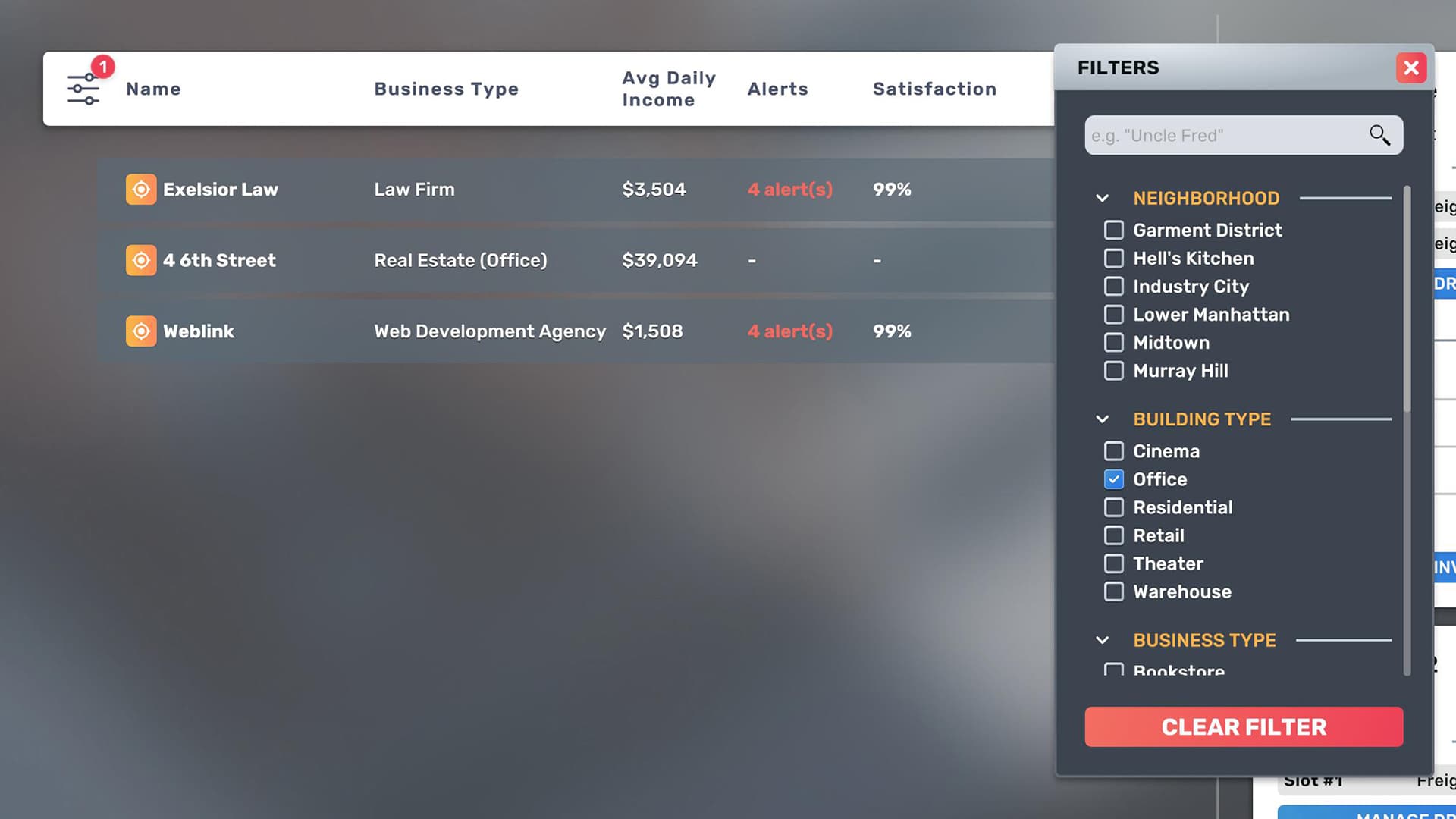
Employee Directory
Choose a role by the station or management workload it covers, then compare candidate skill, wage and demands in the hiring screen.
| Customer Service | Retail and service businesses | Checkout and customer-facing stations | Customer Service | Compatible register or service counter |
| Cleaner | Stores, offices and venues | Maintains cleanliness | Cleaning | Cleaning station / equipment |
| Security Guard | Businesses with a security requirement | Covers security capacity | Security | Security station and current uniform requirement |
| Delivery Driver | Warehouse logistics | Operates an assigned delivery vehicle | Driving / logistics effect: verify | Assigned vehicle and warehouse route |
| Factory Worker | Factory | Runs production lines | Skill has a noticeable effect on output | Assigned production machine |
| Projectionist | Cinema | Runs movie projection | Provides projection coverage for active screenings | Projection equipment |
| Actor | Theater | Performs theater productions | Covers the performance role for scheduled productions | Theater performance setup |
| Stage Crew | Theater | Supports theater productions | Supports production operation and stage coverage | Theater stage setup |
| Lawyer | Law Firm | Delivers the law-firm service | Legal skill: verify current panel | Office workstation |
| Graphic Designer | Office service business | Produces graphic-design work | Graphic Design | Compatible computer workstation |
| HR Manager | Headquarters | Employee administration and insurance visibility | Scales employee oversight across the assigned workforce | Desk and computer |
| Purchasing Agent | Headquarters | Automates purchase targets and warehouse assignment | Maintains purchasing targets for assigned stock | Desk and computer |
| Logistics Manager | Headquarters / warehouse chain | Controls destination targets and delivery routes | Coordinates destination targets, vehicles and drivers | Desk, computer, vehicle and driver chain |
| Pricing Manager | Headquarters | Updates neighborhood prices and suggests prices | Higher skill improves daily suggestions | Desk and computer |
Hiring Workflow
Hire against a known requirement rather than filling a generic headcount target.
- Open BizMan requirements
- Identify the uncovered role
- Recruit candidates
- Compare skill, wage and demands
- Hire and assign the employee
- Cover the full opening schedule
Workstations and Furniture
Official store material confirms that headquarters managers need desks and computers. Other roles must be matched to the station shown by the current business requirement panel.
- Do not rely on invented names such as HR Desk or Logistics Desk
- Use the exact in-game workstation name
- Confirm the employee is assigned to the station
- Keep paths and entrances clear
Uniforms and Demands
EA 0.9 made Uniform Lockers functional for changing employee uniforms. Demands and insurance should be checked per employee rather than assumed from role alone.
- Uniform Locker supports uniform changes
- Critical demands take priority
- Insurance status is visible in MyEmployees
- Schedules and overwork affect the employee relationship
Compare Candidates
Wages vary with candidate skill, difficulty, negotiation and version. Compare the complete candidate rather than choosing only the lowest hourly rate.
- Hourly wage
- Role skill
- Critical demands
- Schedule availability
- Insurance and training cost
Management Guides
Use the dedicated pages for role setup and troubleshooting.
Player material
Player Gameplay Sources
Use these videos to see complete setup workflows, interface values and operating results in context.
Big Ambitions Ultimate Guide: Getting Started Right
Historical player walkthrough covering early staffing and operation; values predate 1.0.
Watch on YouTubeQuestions
Frequently Asked Questions
How should I use the Big Ambitions Employees figures?
Treat each figure as a planning reference and open its info Tip to see the tested version, save conditions and source type.
Can older-version player data be used?
Yes. Historical values can still help with setup and scale comparisons when their version and applicability are clearly labeled.
Source notes
Use the info icon beside a value to see whether it comes from player testing or community reports and which game version or save conditions apply.
References