
Practical Guide
Big Ambitions HR Manager
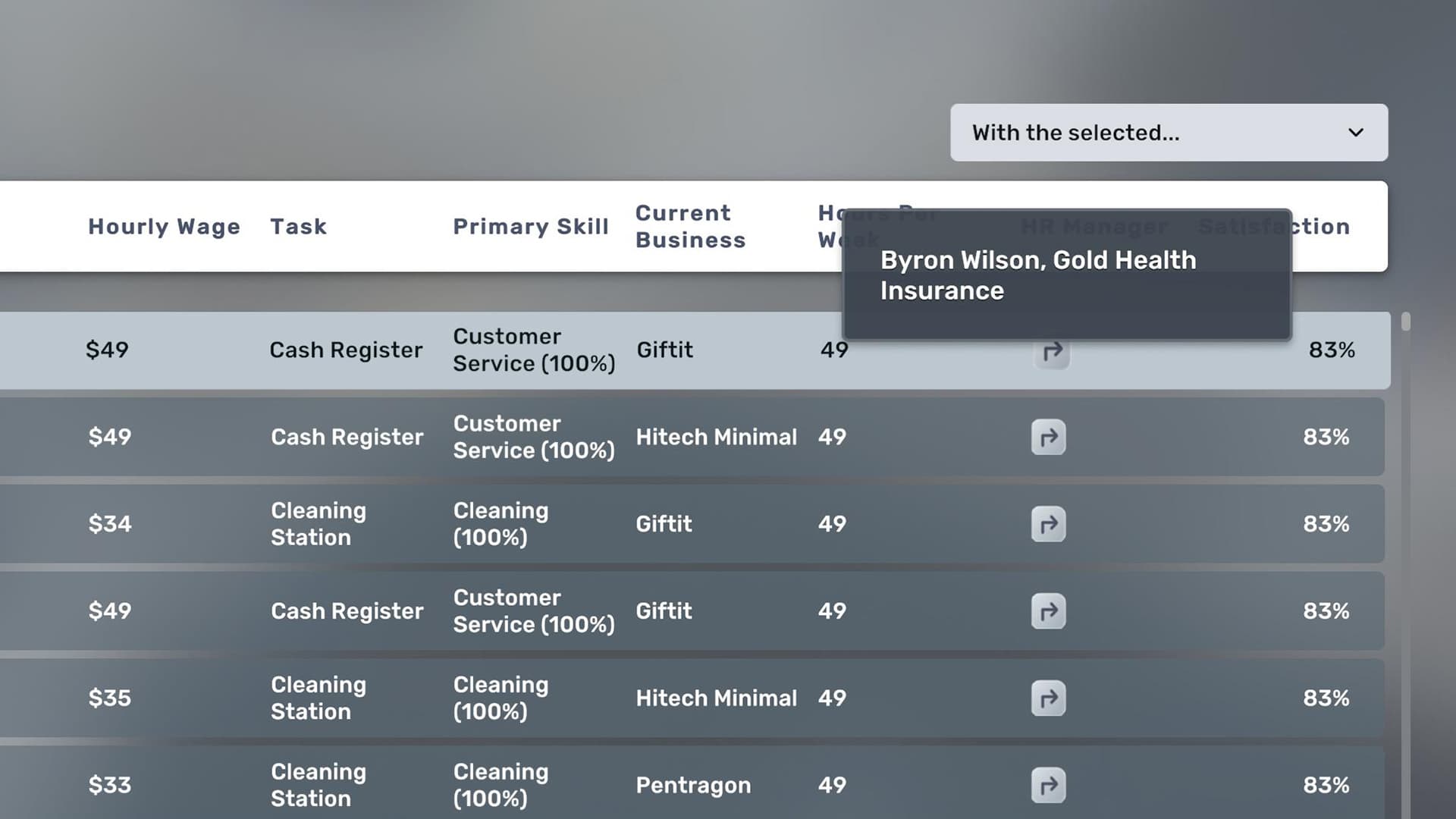
An HR Manager is a headquarters role for scaling employee administration. Official EA 0.11 material shows assigned HR Managers and insurance status in MyEmployees, including insurance-level badges.
What the HR Manager Is For
Use HR management when the employee list, training and benefits become difficult to handle manually. The role is part of a headquarters system and is not required merely to employ the first storefront worker.
- Central employee oversight
- Supports a growing workforce
- Works through headquarters infrastructure
- Connects to employee and insurance information
Confirmed Interface Features
EA 0.11 added visibility rather than publishing universal management numbers.
- MyEmployees shows each employee's HR Manager
- MyEmployees shows insurance status
- Insurance-level badges were added
- Search and filtering improve large-list management
When to Hire
Hire when administrative repetition across several businesses exceeds the cost of headquarters space, office furniture and manager salary.
- Many employees
- Several business locations
- Frequent training or replacement
- Benefits and assignments are hard to audit
- HQ already supports other manager roles
Office Setup
Provide the headquarters, compatible office workstation and assignment required by the current interface. Exact furniture names and management limits remain pending a version 1.0 check.
- Headquarters location
- Required desk or workstation: verify in-game
- Computer or office equipment: verify in-game
- Manager assignment
- Employee assignment
What to Check After Assignment
Open the employee-management interface and confirm that the intended employees show the correct HR Manager and insurance information.
- Correct manager
- Correct employees
- Insurance badge
- Training or management status
- Salary and office overhead
Scale HR Management
Add HR capacity when employee assignments, insurance and training across several businesses take more time than the manager and office cost.
Player material
Player Gameplay Sources
Use these videos to see complete setup workflows, interface values and operating results in context.
Our HQ and Warehouse Setup
Historical player HQ setup. Office requirements and UI must be checked in 1.0.
Watch on YouTubeQuestions
Frequently Asked Questions
How should I use the Big Ambitions HR Manager figures?
Treat each figure as a planning reference and open its info Tip to see the tested version, save conditions and source type.
Can older-version player data be used?
Yes. Historical values can still help with setup and scale comparisons when their version and applicability are clearly labeled.
Source notes
Use the info icon beside a value to see whether it comes from player testing or community reports and which game version or save conditions apply.
References